Deleting or pausing your account.
Learn how to pause or permanently delete your TeachMe.To coach account. Use Time Off to hide your profile temporarily, or follow the steps to remove your account fully.

Coaches sometimes need time away—from travel and seasonal breaks to injuries or schedule changes. TeachMe.To gives you two options:
- Pause your account (recommended)
- Permanently delete your account
Below is a full guide on how each one works and what to expect.
Pause Your Account ( ⭐ Recommended)
Pausing your account is the best option if you need a temporary break.
This keeps your profile, reviews, payout history, and app access intact while hiding you from new bookings.
Typical reasons to pause:
- Vacation or travel
- Injury or recovery
- Seasonal coaching schedule
- Workload changes
- Taking a short break from teaching
You will not appear in search results, and Students cannot book new lessons during your Time Off period.
How to Pause Your Account (Using Time Off)
- Open the TeachMe.To Coach App
- Tap Profile
- Tap Add Availability
- Tap Add coaching hours
- At the top, tap Time off
- Tap Add new +
- Toggle All day ON (optional)
- Choose your start and end dates
- Tap Confirm
- Tap Update time off to save
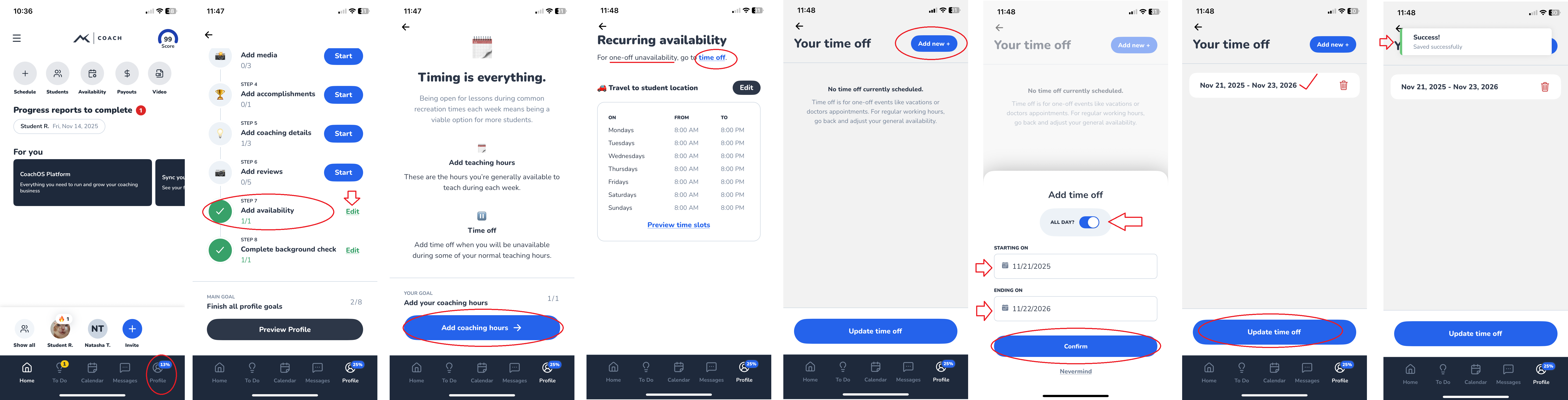
You’ll see a “Success! Saved successfully” banner once your Time Off is applied.
During this period:
- Your listing is hidden
- You won’t get new bookings
- You keep access to the app and messages
When you’re ready to return, simply remove or adjust the Time Off range.
Delete Your Account (Permanent ❌)
If you want to permanently remove your coach profile from TeachMe.To, you can delete your account directly through the Coach App.
Deleting your account means:
- Your listing is removed from the marketplace
- You stop receiving new bookings
- You lose access to your coach profile and onboarding
- Deactivation may take a few hours to complete
Once submitted, this action cannot be undone without support intervention.
How to Delete Your Account
- Open the Coach App
- Tap the three lines (☰) in the top-left corner
- Tap Delete Account
- A confirmation screen will appear
- Tap Delete my account to finalize
You’ll be automatically logged out once the request is processed.
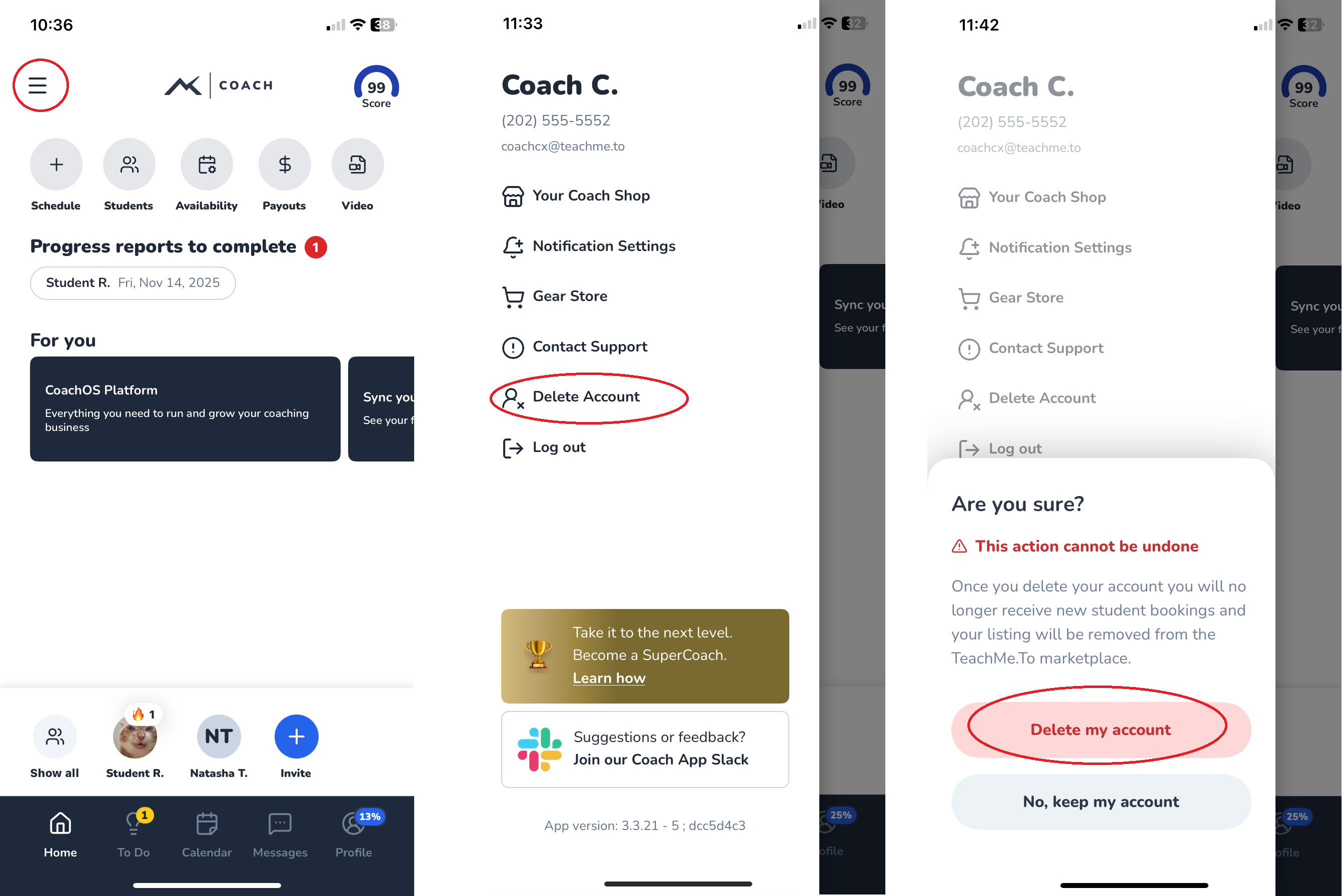
Full removal may take several hours.
How did we do?
How do I manage notifications?
